
BUILTAROUNDTHE WORK.

Training for athletes. Programming and review for coaches.

Get RAKK

TRAINING, TOGETHER.

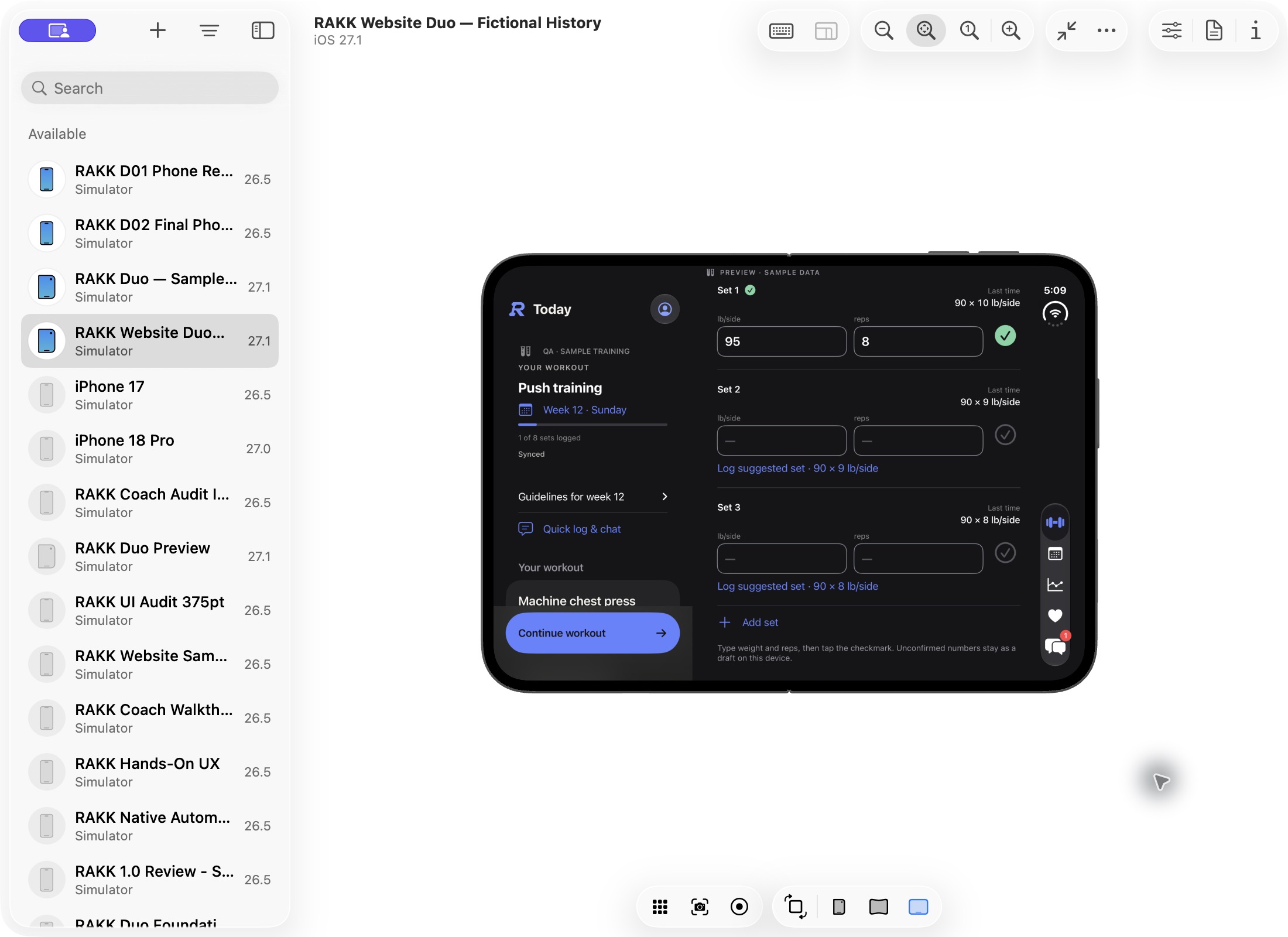
Austin Brown drinking VYV beside the lake, photographed by Courtney Terry
ATHLETE / COACHAUSTIN BROWN
RAKK app icon

Last week’s sets,
beside today’s.

Know the session before you start. Keep your previous weights and reps in view, then record what you do today.

Ask about your logged sets
Explore the athlete app

From the first set
to the last rep.

Open Today, choose your exercise and log weight and reps. Your last sets sit beside the current prescription. Log a set and the rest timer starts.

“10 at 90”

Quick log records the set and shows what comes next. Review or undo the entry. No AI required.

The workout day and the date you train stay separate. Monday’s plan can happen on Tuesday.

RAKK iPhone workout screen showing a logged chest press set, weight and rep fields and a coaching cue. Fictional sample data.
Log the work, set by set. Tap to enlarge

Same workout. One line.

A close view of the actual native Quick log receipt after entering 10 at 90. Fictional sample data.
Your entry, the recorded set and the next step.

A session becomes
a training history.

Browse your training in Calendar. In Progress, choose a block and a time range, then open a key lift to see the best sets behind its chart.

Go back to the actual work.

Open saved workouts, inspect a week’s estimate or follow a linked lift family across blocks. Search helps you find the lift you came for.

Estimated one-rep max is calculated from logged sets. It is an estimate, not a tested maximum.

RAKK native Calendar with training dates and a selected week in a twelve-week sample block.
Find the week. Open the workout. Tap to enlarge

One lift, across the block

Actual native chest press chart and weekly best sets, with gaps where no sample workout was logged.
The estimate and the sets it came from.

Keep the days
between sessions.

Enter steps, bodyweight, sleep and resting heart rate in Daily. Choose the date you mean, including a day you missed.

A check-in with context.

Review Daily trends alongside your training. Use Notes to talk with your coach, and keep a workout-specific conversation attached to that session.

Daily entries can be entered manually. Optional Apple Health imports are reviewed separately in the iPhone app.

Native RAKK Daily check-in with a date picker and sample activity and recovery values.
Your check-in, on the right day. Tap to enlarge

A conversation that stays with you

A sample coach’s follow-up about the bike and the last set in the actual native Notes thread.
Training and the conversation, together.

Training already loaded? Log offline. Sync when you reconnect.

Native iPhone preview · Fictional sample data · Features may differ from your installed beta

Bring the plan.
Follow the work.

Import a program or build one in RAKK. Assign each athlete a copy, then review their sessions and check-ins before following up.

Explore the coach app

Start with the training
you’ve already written.

Use the RAKK Excel template, an existing Excel, CSV or TSV file, or pasted workout text. Check the reading before creating a program.

Make each workout specific.

Build or edit workouts with the searchable exercise library. Review the load unit, prescription and coaching cues.

Optional AI-assisted Smart import reads selected text with your permission. Review its proposal before creating or assigning a program.

Actual native RAKK program import screen with pasted text, file selection and an Excel template download.
Bring in the plan. Review the reading. Tap to enlarge
Actual native exercise library with equipment and body-area filters, exercise search and custom exercise creation.
Choose the movement. Set its prescription. Tap to enlarge

A block of
their own.

Choose the athlete and start date. Review what the assignment will change before you send it.

Each athlete gets a program copy.

The template stays available for the next assignment. The athlete’s copy can be adjusted as their training unfolds.

The assignment review shows the athlete, program and start date together before confirmation.

Actual native sample program template showing its duration and training week. Fictional sample training.
The template you start from. Tap to enlarge
Actual native assignment review for fictional Alex Morgan, with a sample template, start date and prepared review.
A named athlete. A reviewed start date. Tap to enlarge

Open the athlete.
See where to start.

The roster surfaces training flags and unread Notes. Open an athlete to see their current block, attention items, latest saved workout and latest Daily entry.

Follow through on the same plan.

Read the workout, inspect progress and send a note. Edit that athlete’s program copy, then review and send the update. Started workouts keep the prescription they began with.

See the roster (opens in a new tab)
Actual native review for fictional Alex Morgan, showing the current block, unread note, latest saved workout and Daily entry.
Start with what changed. Tap to enlarge

The follow-up, in Notes

Actual native Notes thread with sample coaching guidance and a follow-up about the bike and the last set.
A reason to check in. A place to continue.

Native iPhone preview · Fictional athletes and training · Features may differ from your installed beta

Ask RAKK.

Ask about the work you’ve logged. With your permission, Claude can compare your sets with previous sessions and use your program and Daily entries for context.

You stay in control.

Asking doesn’t edit your program, log a set or message your coach. AI-proposed logs need your confirmation. Your Notes conversation is excluded from AI context, and your coach cannot see your AI chat. AI must be enabled and connected; usage limits apply.

Illustrative demo · Scripted question and answer

Ask RAKK

Example question: I just hit 10 with the 50s on incline dumbbell press. What did I hit last week, and am I ready to go up?

Example answer: Last week: 50 lb each for 8, 8, 7 reps. Today: 50 lb each for 10, 10, 10—all three sets saved. Your target is 3 × 8–10, so you’ve reached the top of the range on every set. RAKK marks this lift “Add weight” for next time. The size of the increase is your choice, or something to agree with your coach.

Example complete · No sets or program changes made.

Fictional training history. Scripted demonstration, not live AI. Today’s three sets are already logged in this example.

More room
for the work.

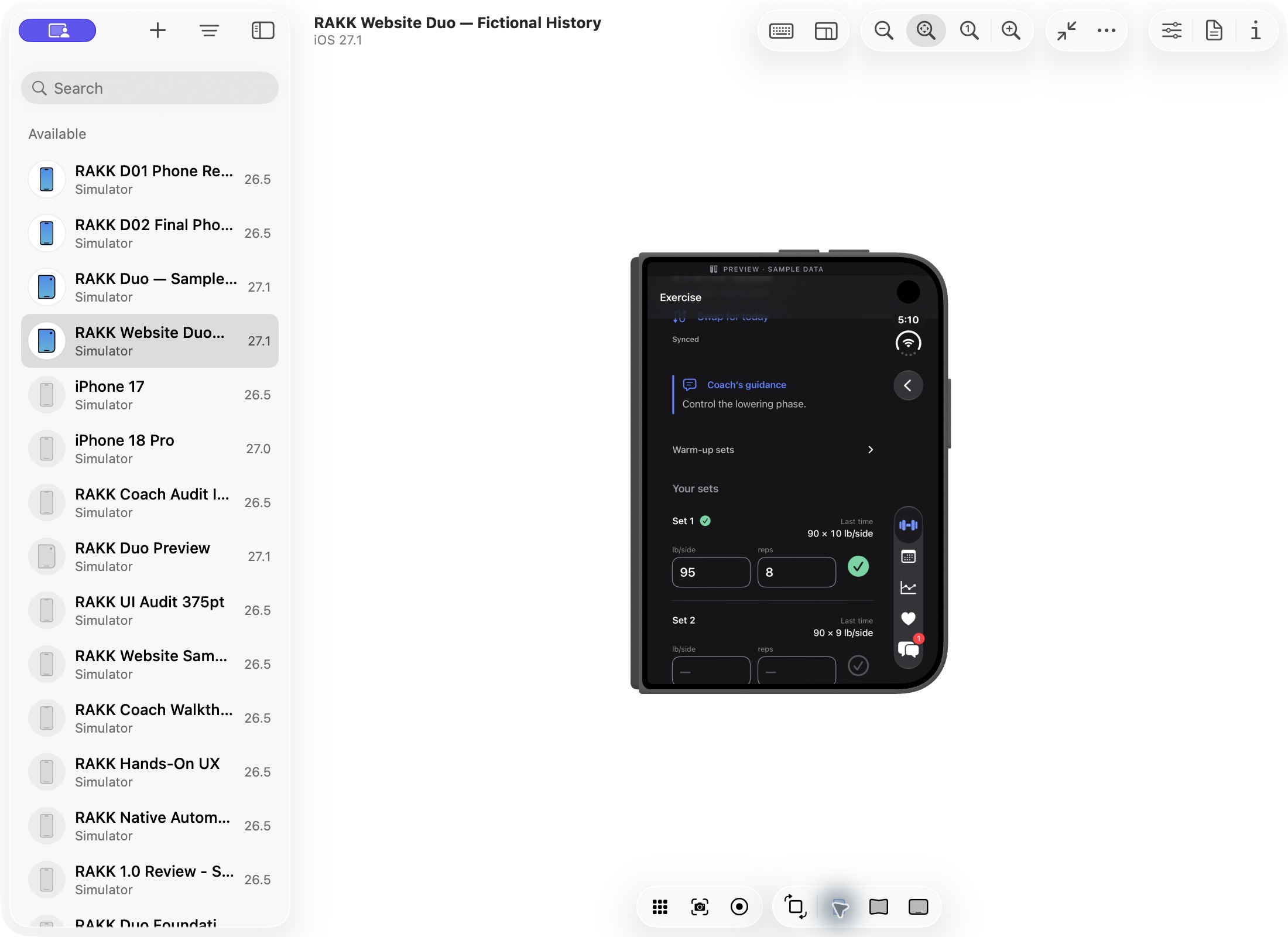
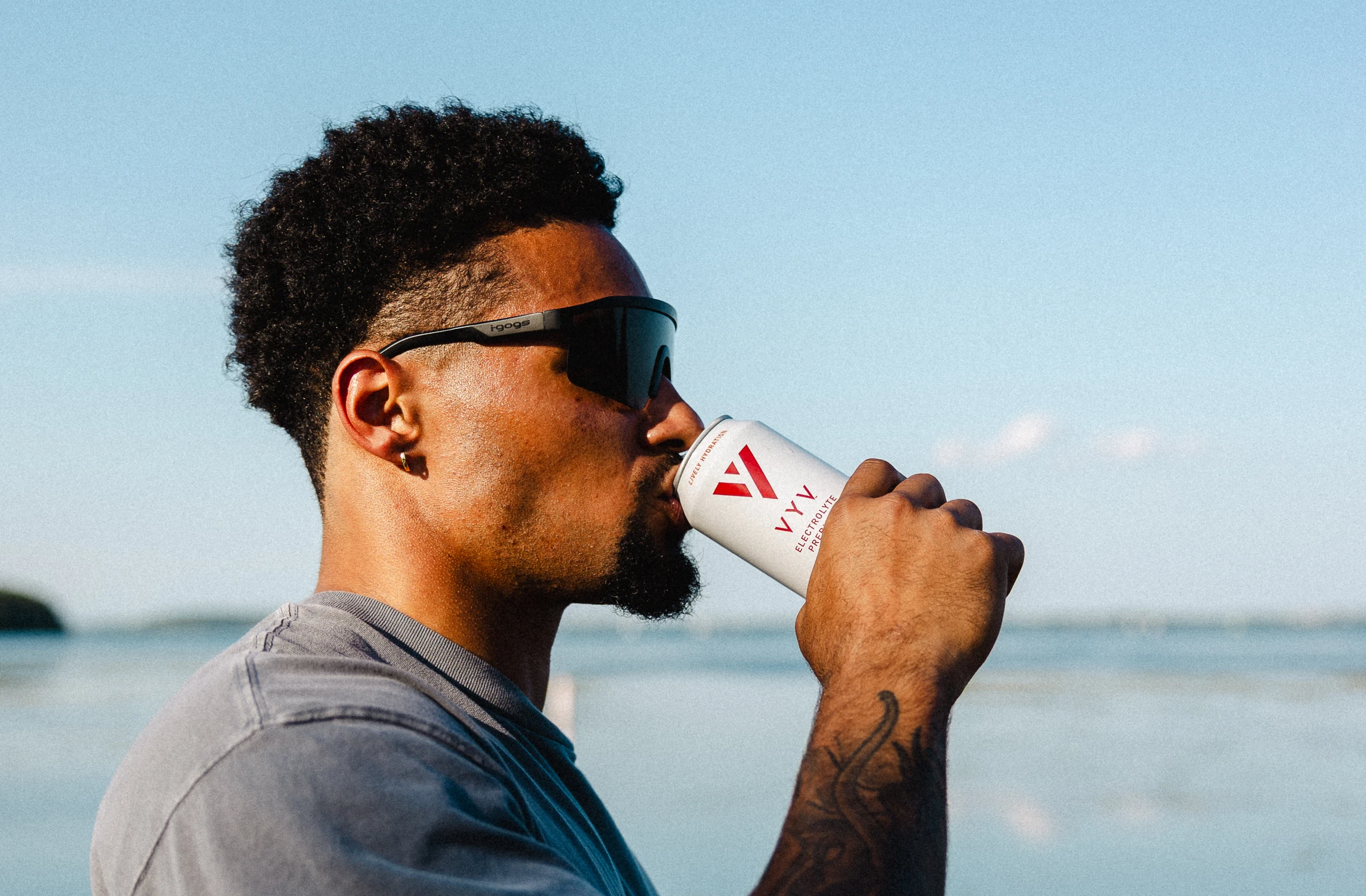
Keep your workout beside your set logger, with last week’s weight and reps right there for comparison. Fold Duo closed and continue the same workout.

Actual simulator captures · Sample data
Development preview. Not available in the released app.
Actual expanded Duo sample build: Today beside the set logger. Today’s first set is logged at 95 × 8 lb/side; last week’s three sets show 90 × 10, 90 × 9 and 90 × 8 lb/side.
Open · Your workout, today’s set and last week’s numbers
Actual closed Duo sample build: the same 95 × 8 lb/side set remains logged, with last week’s 90 × 10 comparison and the coach’s guidance visible.
Closed · Same workout. Same logged set.

Built with Austin Brown.

Athlete, coach and co-creator. Austin contributes training programming, product testing and hands-on product input.
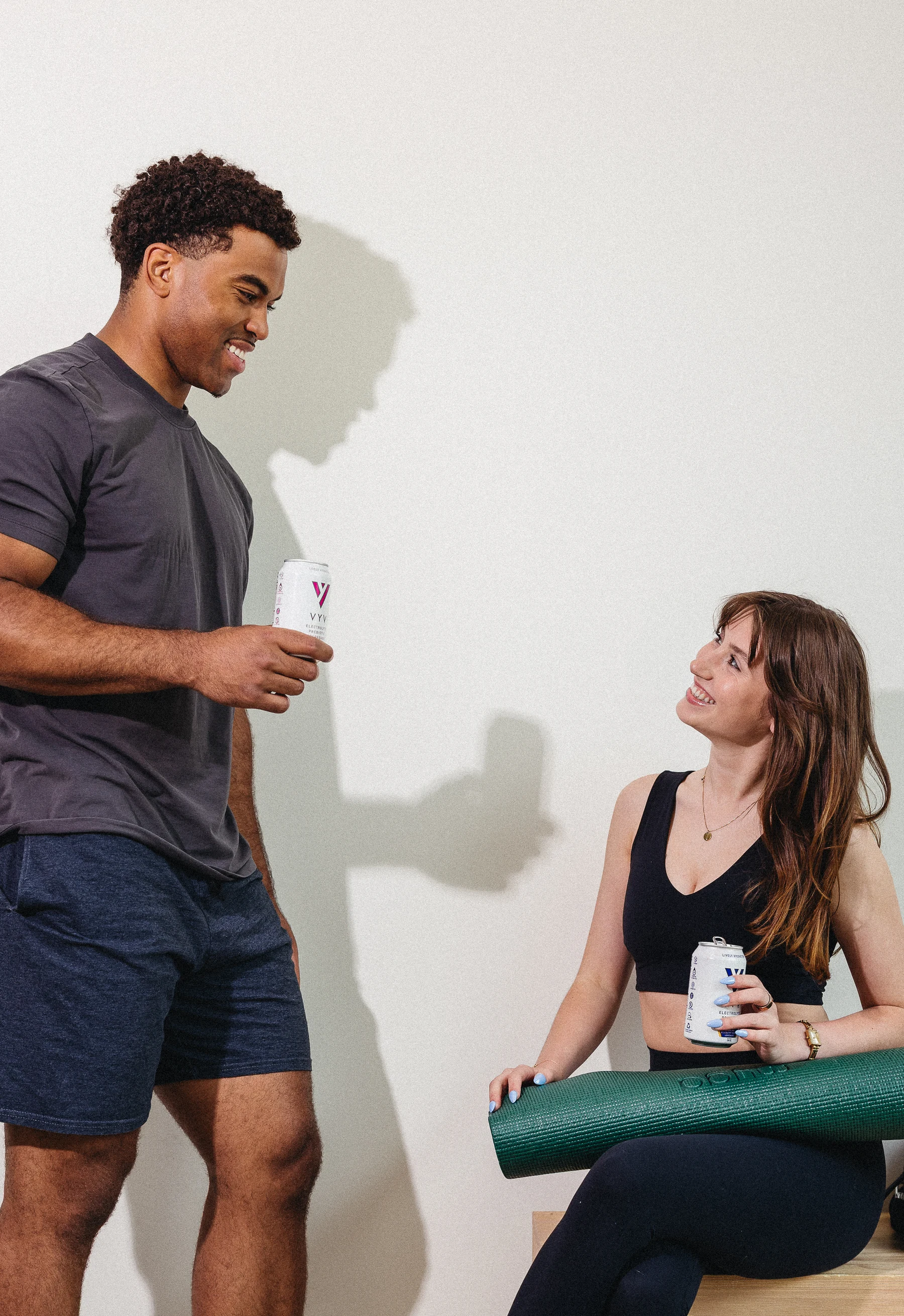

A conversation beside a yoga mat in the studio, photographed by Courtney Terry.
RAKK

Train well.
Coach well.

Your session, your history and your next step. When you train with a coach, a shared view of the work connects you.

Get RAKK

iPhone private beta. Request access through TestFlight.

Getting started.

How do I get the iPhone app?

RAKK is in private beta through TestFlight. Request iPhone beta access.

Can I use RAKK without a coach?

Independent training is part of what we’re building. Self-serve setup is still in development; the current private beta uses existing accounts or invitations.

Is personal coaching included?

RAKK access covers the software. Personal coaching from Austin or another coach is separate.